

Credit pricing replaces the credit ratios of Aikeedo 5.2 and the Aikeedo Price Calculator spreadsheet. On 5.2 or older? See Commercial Resources.
How a price is worked out
For each unit a model bills, such as an input token, an image or a second of video:- Provider cost comes from the model catalog that ships with Aikeedo, or from a cost you enter yourself.
- Markup is the model’s own markup if it has one, otherwise your default markup.
- Credits per USD is how many credits a US dollar of provider cost is worth.
Open the Credit pricing page
Go to Settings → Finance → Credit pricing, or open Credit pricing from the More menu on the Models page.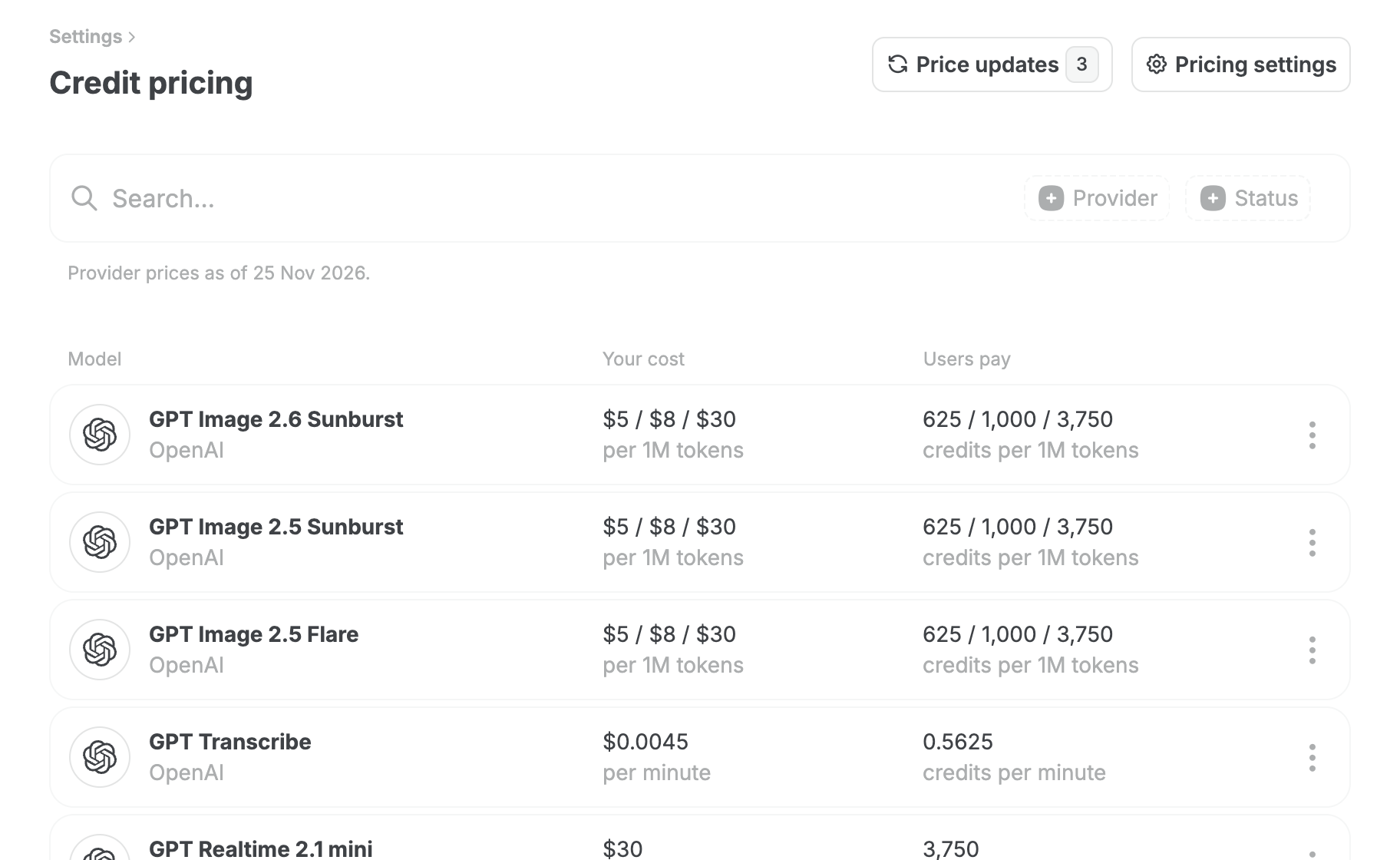
Under the filters, Provider prices as of shows the date we last checked the catalog’s provider prices.
Filter by Provider, or by Status:
- New provider price: the catalog lists a price that differs from the one in use. See Price updates.
- Fixed credits: at least one rate charges fixed credits.
- No price: users pay nothing for some of the model’s usage.
Pricing settings
Click Pricing settings to set the two numbers every cost-based price uses.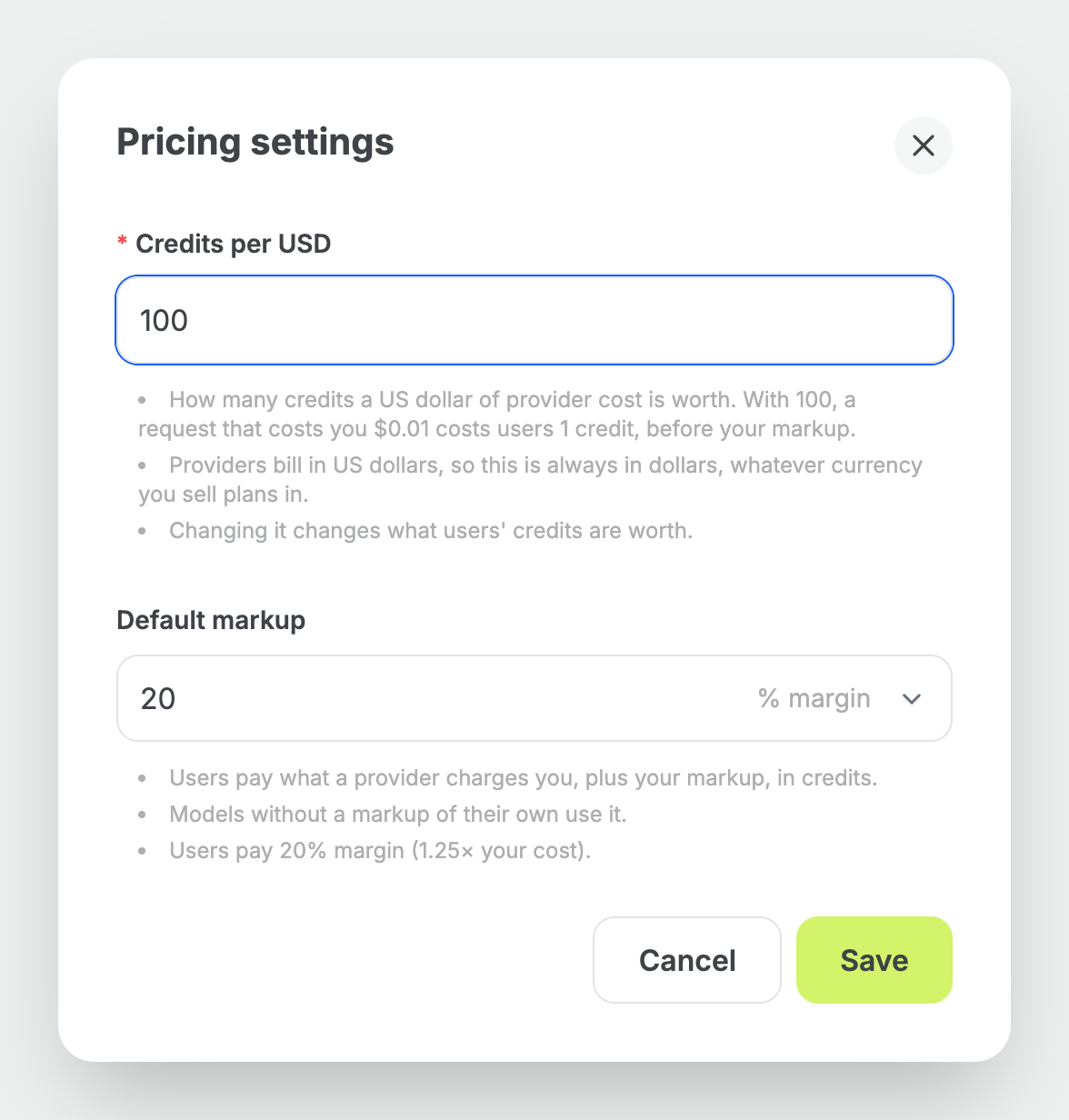
How many credits a US dollar of provider cost is worth. With 100, a request that costs you $0.01 costs users 1 credit, before your markup.Providers bill in US dollars, so this is always in dollars, whatever currency you sell plans in.
What you add to the provider’s cost. Models without a markup of their own use it. Enter it as a % margin or as × your cost.
Margin or multiple
Choose how you enter a markup with Markup as:- % margin: the share of what users pay that you keep. A 20% margin means $0.20 of every dollar users spend is yours and $0.80 pays the provider. A margin must be under 100%.
- × your cost: a multiple of the provider’s cost. 1.25× and a 20% margin are the same markup.
Review the change
Saving opens Review changes. It shows how many settings change, how many models change price, and that new prices apply from the next request. Models with fixed credits keep them. Tick I understand users keep the credits they have, but each one buys less from now on (or “more”, when the change goes the other way), then click Confirm and save.Changing credits per USD changes what every existing credit is worth. Users keep their balance, but each credit buys more or less than before.
Per-model markup
To charge more or less for one model, open the model’s Pricing tab and click Customize next to Markup. Enter the markup as a margin or a multiple. Use default puts the model back on your default markup. The tab shows the default markup and what users pay with the model’s markup. On the Credit pricing page, the model is marked Own markup.Rates
Each rate shows how it is Priced by:- Cost-based: credits follow your cost, markup and credits per USD. You can keep the catalog’s cost or enter your own.
- Fixed credits: users pay these credits, whatever your cost.
- Billed in dollars: for WaveSpeed models. The hub bills each run in US dollars, and users pay that, plus your markup, in credits.
Fixed credits
Use fixed credits when you want a price that doesn’t move with the provider’s cost, such as a round number of credits per image. Fixed credits never follow cost changes: Price updates and changes to credits per USD leave them as they are.After updating from 5.2, every credit ratio you had set is kept as fixed credits on the matching rate, so your installation charges exactly what it did before. Switch a rate to Cost-based when you’re ready.
Price updates
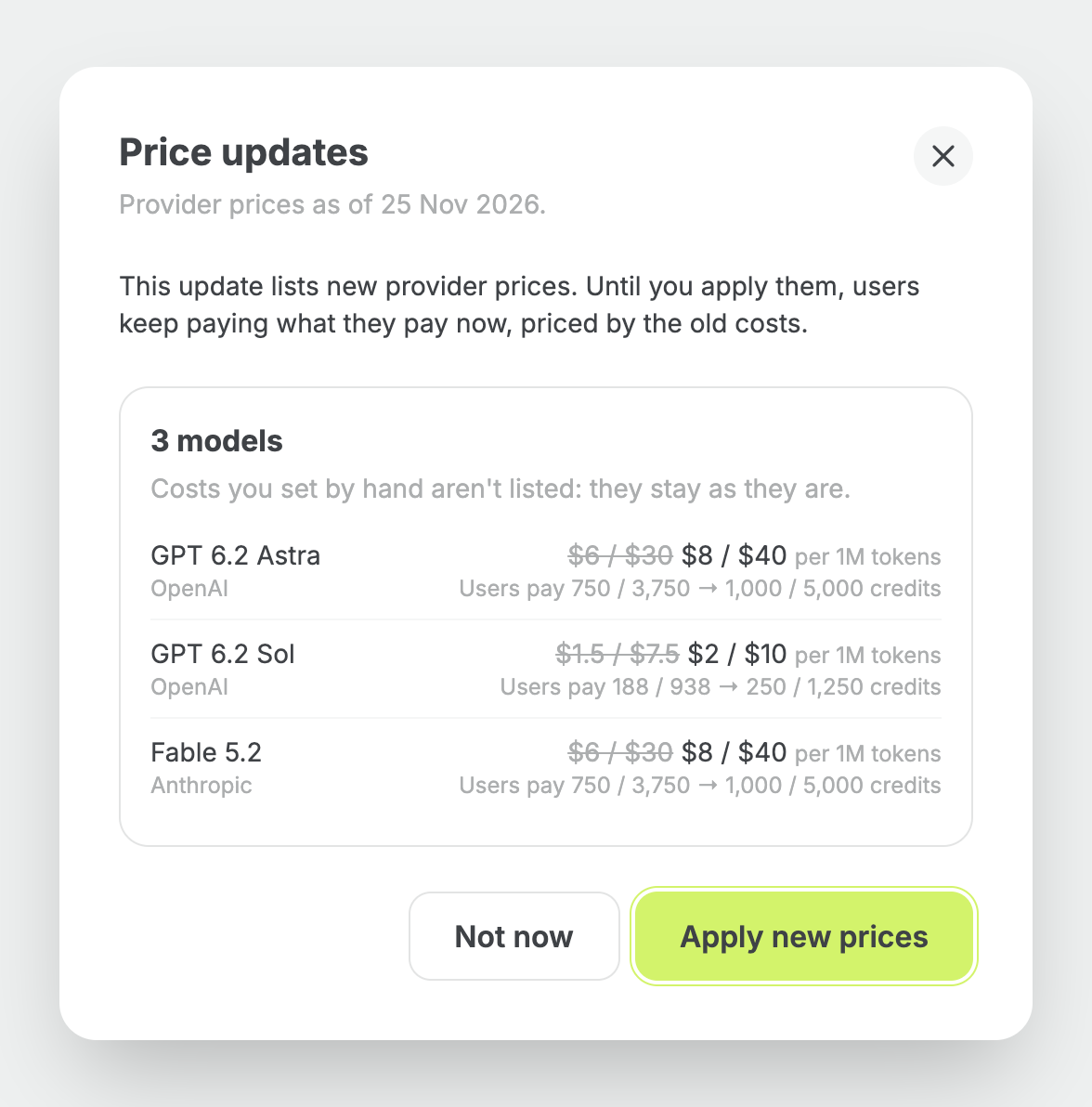
Aikeedo updates bring new provider prices in the model catalog. They never change what users pay on their own. When the catalog lists a cost that differs from the one in use, the Price updates button shows a count. Click it to review the changes:- Cost-based rates show what users pay now and after the update, for example Users pay 1.5 → 1.25 credits.
- Fixed rates show Fixed credits: users pay the same.
Hub prices
Models from hubs are priced in their own way:- fal.ai: priced per fal.ai unit, such as an image, a megapixel, a second or a video. The price is read from fal.ai’s pricing API when you look the model up or add it, and needs your fal.ai key. It isn’t refreshed afterwards. See fal.ai.
- WaveSpeed: each run is quoted by WaveSpeed’s price API before it starts, and users pay that quote × markup × credits per USD. The estimate shown before a run uses the model’s base price. See WaveSpeed.
Plan credit limits
When you edit a plan, the credit limit field shows the most credits its price covers at your markup, with Use it to fill it in. If the limit is above that, a warning says users who spend all their credits cost you more than you charge.- Yearly plans: credits renew every 30 days, so each renewal gets a twelfth of the yearly price.
- Lifetime plans: the price can’t cover renewals for long, so keep the limit low.
- Plans in other currencies: add an exchange rate to US dollars under Settings → Finance → Exchange to see the hint. See Exchange Rates.
What users see
Users see what each model costs on the Pricing page of the app, at/app/billing/pricing. It’s in the workspace settings menu, and the Plans page links to it with See what each model costs.
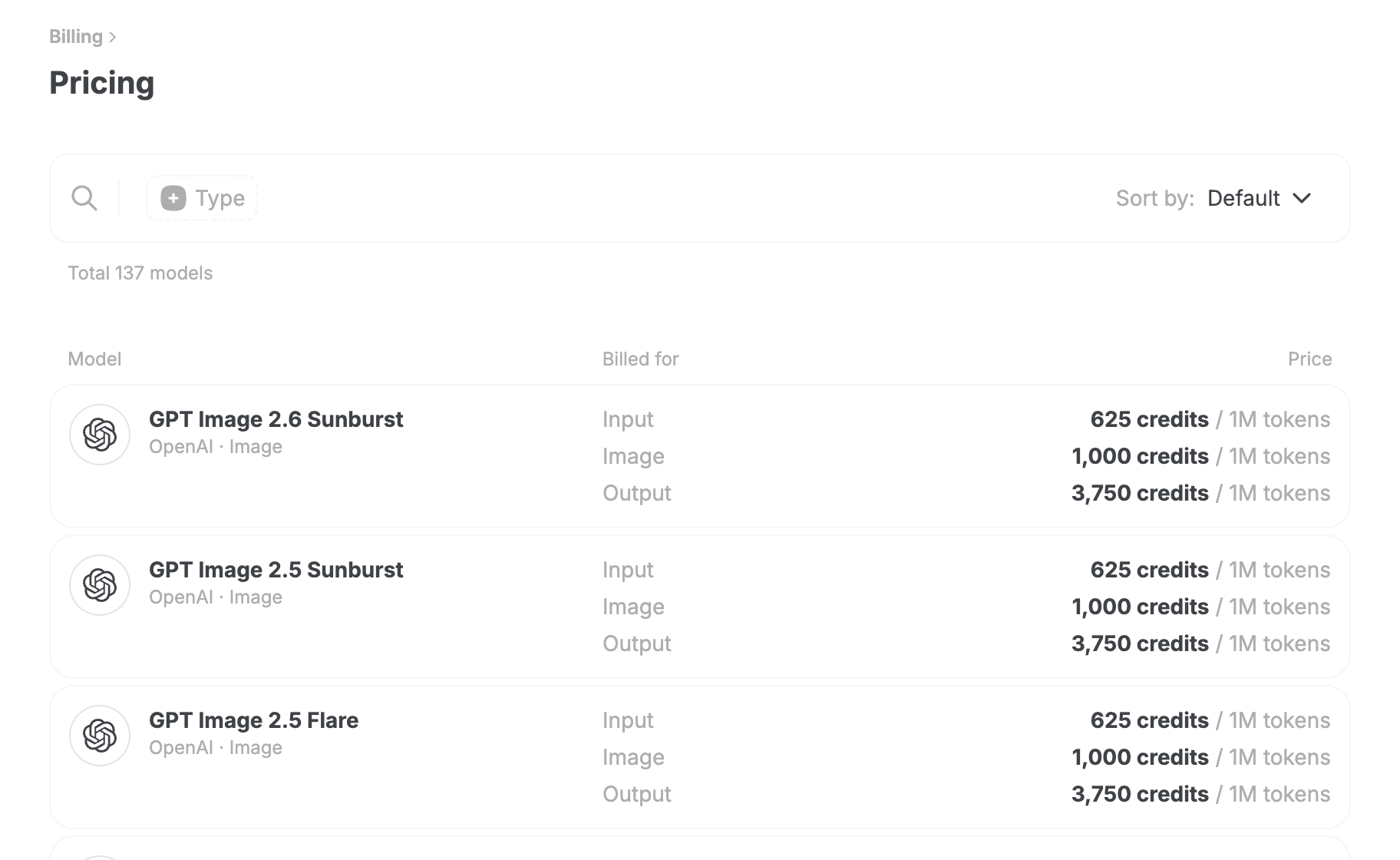
- Tabs by type: Chat, Image, Video, Voiceover, Transcription, Voice isolation, Embeddings and Tools.
- Each model shows what it’s billed for, in credits. In session-based usage mode, prices show in your site currency.
- Models outside the user’s plan are marked Not in your plan. Prices that depend on the request are marked Varies by request.
- Discounted models show the full price struck through.
Related pages
Models
Add, edit and switch models on and off.
Unified Credit System
How credits are reserved, charged and checked.